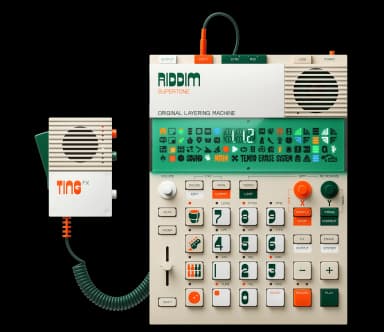
EP-40 FAQ
30 answers to the most common questions about the Teenage Engineering EP-40. Can't find what you need? Ask the AI.
How do I get started with the EP-40?
The EP-40 Riddim is organized into projects, scenes, groups, and patterns. Start by creating a new project, loading sounds into groups, and recording ...
How do I use the dub siren?
The dub siren is one of 10 Supertone synth sounds built into the EP-40. Access it by holding SOUND, pressing the dot button, then pressing one of the ...
How do I use the bass synth?
The bass synth is one of 10 built-in Supertone sounds on the EP-40. These are synthesized in real time and don't use any sample memory....
How does live mode work?
Live State mode is designed for performance and improvisation. Enter by pressing SOUND + MAIN (the icon illuminates when active). This mode fundamenta...
How do I remix the artist tracks?
The EP-40 Riddim comes with preloaded artist tracks in projects 1-5 that you can use as starting points for your own creations....
How do I delete a pattern?
You cannot delete individual patterns on the EP-40, but you can clear and manage them in several ways....
How do I copy and paste patterns?
You can copy and paste both individual bars and entire patterns using simple button combinations....
What effects are available on the EP-40?
The EP-40 Riddim has 7 built-in effects plus Punch-In FX 2.0 for performance, and a master compressor for final output control....
How do I sample a sound on the EP-40?
# How do I sample a sound on the EP-40?...
How do I use TING with the EP-40?
The EP-40 Riddim can work with TING as an external audio source for sampling and processing....
How do I use the Supertone engine?
The Supertone engine provides 10 built-in synthesizer sounds including bass synths and dub sirens, perfect for creating classic reggae and dancehall t...
How do I use loopable samples (LOP)?
Loopable samples (LOP) let you run samples continuously in the background and mute/unmute them by tapping pads. They're perfect for basslines, melodic...
How do I set up Loop Startup Sequence (LSS)?
Loop Startup Sequence (LSS) saves the muted and unmuted state of loop pads so they automatically activate when patterns load. This is essential for wo...
How do I chop a sample?
Chopping splits a sample into smaller slices that you can trigger across the pads. This is useful for drum breaks, vocals, or melodic samples....
How do I use punch-in effects?
Punch-in effects are pressure-sensitive effects designed for live performance. They work best in Live State mode but can be used anytime....
How do I use keys mode?
Keys mode lets you play a selected sound chromatically across all 12 pads, like a mini keyboard. Press KEYS while a pad is selected to activate it....
How do I factory reset the EP-40?
# How do I factory reset the EP-40?...
How do I sync with a Pocket Operator?
The EP-40 can sync with Pocket Operators in two directions, depending on which device you want as the master clock....
How do I connect MIDI devices?
Connecting MIDI Devices...
How do I use the phaser effect?
The phaser is one of seven built-in effects on the EP-40. Press FX while your pattern is playing, then use minus or plus to scroll through the effects...
How do I use the metronome?
The metronome helps you stay in time while recording or playing. You can control its volume and when it plays....
How do I build a full song?
Building a full song on the EP-40 involves creating multiple scenes and arranging them in song mode. Each scene is a snapshot of your four groups at a...
How do I use step sequencing?
Step sequencing lets you program beats precisely by placing notes on specific steps rather than recording live. You can add, edit, and nudge individua...
How do I change the tempo?
You can change the tempo by pressing the Tempo button and adjusting KnobX, which covers a range of 60-180 BPM. For the full range of 40-399 BPM, hold ...
How do I make a reggae beat?
The EP-40 Riddim is specifically designed for reggae production with built-in Supertone bass synths, dub effects, and loopable samples. Start with a s...
How do I make a dub beat?
A dub beat on the EP-40 uses heavy basslines, minimal drums, echo delays, and phaser effects. Start with a slow tempo (70-90 BPM), sparse drum pattern...
How do I make a dancehall beat?
Making a dancehall beat on the EP-40 involves using the classic "dembow" rhythm pattern, typical tempo ranges, and the device's built-in reggae sounds...
How do I use quick select mode?
Quick select mode lets you jump instantly to patterns and scenes without using the plus/minus buttons....
How do I update the firmware?
Connect your EP-40 to a computer using a USB-C cable, then visit teenage.engineering/apps/update and follow the on-screen instructions....
How do I use the sidechain?
The sidechain compressor on the EP-40 lets you duck one group's volume based on another group's audio. This creates the classic "pumping" effect where...