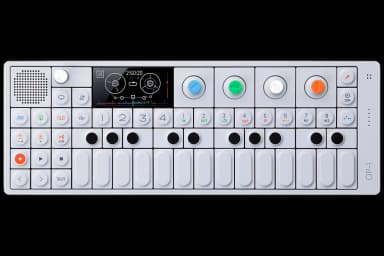
OP-1 FAQ

25 answers to the most common questions about the Teenage Engineering OP-1. Can't find what you need? Ask the AI.

How do I record to tape?

Recording to tape on the OP-1 is straightforward. You select a sound, choose a track, set your level, and press REC + Play to start recording....

What are the tape tricks?

The OP-1 has eight tape tricks accessed by keys 1-8 on the right side when in Tape mode. These are quick-access functions for creative tape manipulati...

How do I sample a sound?

# How do I sample a sound?...

How do I use the sequencer?

The OP-1 has six different sequencers that record and play back note patterns (not audio). Each sequencer works differently, giving you various ways t...

How do I save a sound?

To save a sound in synth or drum mode, hold down one of the sound keys (1-8 on the right side) for about 5 seconds. The sound will be saved to that pr...

How do I unlock the hidden synth?

The OP-1 doesn't have a "hidden synth" that can be unlocked through button combinations or secret codes. All 10 synthesizer engines are available from...

How do I use the mixer?

The Mixer is the final stage of the OP-1's sound path where you balance tracks, shape tone, and add effects before outputting to headphones or speaker...

How do I use the EQ?

The EQ is a three-band equalizer that affects your final stereo mix. It's located in Mixer mode and shapes the overall sound before it reaches the mas...

How do I overdub on tape?

Tape always overdubs on existing material by default. Just select a track, press record, and play. Your new performance layers on top of what's alread...

How do I use the FM synth?

The FM synth on the OP-1 is a frequency modulation engine inspired by classic FM synthesizers like the DX7. It's selected under the synth engines menu...

How do I use the Tombola sequencer?

The Tombola sequencer uses physics simulation to create random, bouncing note patterns. Press keyboard keys to drop notes into a virtual container whe...

How do I use the Finger sequencer?

The Finger sequencer lets you create and play two different patterns, switching between them by holding different white keys on the keyboard....

How do I use the Arpeggio sequencer?

The Arpeggio sequencer distributes notes from a held chord across time, creating arpeggiated patterns automatically....

How do I use the Endless sequencer?

The Endless sequencer is a quick, linear sequencer for creating melodic patterns. Hold SHIFT and press keyboard keys to insert notes, and the sequence...

How do I connect via USB?

Connect your OP-1 to a computer using a USB mini-B cable (the port is on the right side of the device). Once connected, press SHIFT + COM to enter USB...

How do I use the FM radio?

The FM radio is an input source on the OP-1 that you can use for sampling or recording. It receives stations from 64-108 MHz....

How do I use the LFO?

The LFO (low frequency oscillator) modulates parameters over time to create rhythmic or evolving effects. It's found in both Synth and Drum modes unde...

How do I change tempo and sync?

Press the Tempo key (metronome icon, top left) to access tempo and sync settings....

How do I use Album mode?

Album mode lets you mix down your 4-track tape recordings to a final stereo file. It's essentially your export function, capturing everything from the...

How do I use the OP-1 as a MIDI controller?

# How do I use the OP-1 as a MIDI controller?...

How do I import my own samples?

# How do I import my own samples?...

How do I use the D-Box drum engine?

The D-Box is a dual oscillator drum synthesizer engine in Drum mode, designed for creating synthetic percussion sounds from scratch rather than using ...

How do I use Drive in the master out?

# How do I use Drive in the master out?...

What's the best workflow for beginners?

Start by getting comfortable with the basic recording chain: pick a synth sound, record to tape, then experiment with the mixer. This mirrors how most...

How do I backup my OP-1?

To backup your OP-1, connect it to your computer via USB and enter disk mode by pressing SHIFT + COM (the album key on the right side)....

Have a different question?

Ask the AI assistant anything about your OP-1

Ask a Question →