
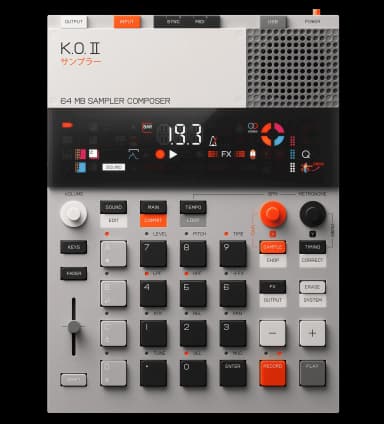
◆ make a beat
How to make hip-hop on the KO II
Sample a drum break and a melodic loop, chop them across the pads, and keep the groove loose. The four groups keep drums, bass, melody, and chops separate.
85-95 BPM · Swung 16ths, slightly behind the beat. Don't quantize everything hard.
the steps
- 1Set a hip-hop tempo.Hold TEMPO and set it around 88 BPM.
- 2Get a drum break or kit in.Press SAMPLE and record from line-in or the internal mic. Use minus/plus to pick the input source.
- 3Chop the break into hits.Use CHOP (SHIFT + SAMPLE) to slice the sample across the 12 pads, then play them back in different orders to find a groove.
- 4Put drums on their own voice.Assign the chops to Group A so drums stay separate from bass and melody.
- 5Lay the main beat by feel.Press RECORD then PLAY and finger-drum the pattern live.
- 6Add a sampled chord or melody loop.Sample a melodic loop to Group C. Use resample-a-chord to stack notes into one playable sample.
- 7Glue it and add space.Add a touch of reverb and delay, and use the compressor for a cohesive feel.
◆tips
- Hold the knob assigned to swing and nudge it up slightly for a head-nod feel.
- Leave the kick and snare a hair off the grid instead of hard-quantized.
Want to go deeper?
Ask the assistant anything about making hip-hop on your KO II.
Device steps reference the official KO II manual. Musical guidance is general production advice.