
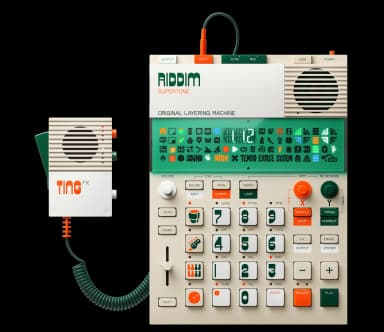
EP-40 Riddim error codes
Troubleshooting guide for every EP-40 Riddim error code: what each one means and how to fix it.
These errors can be fixed by formatting the flash storage. Warning: This will erase all your samples and patterns, but factory content will remain.
LFS Mount Error
FixableFile-system error. The internal file system failed to mount and needs to be formatted. This will erase all your samples and patterns, but factory content will remain.
To fix: Power the device off, then hold [COMMIT] + [SOUND] and turn it on. FMT will display on the screen for about 10 seconds, then it will start up as usual with all user content removed. Factory samples will remain.
Sample Filesystem Error
FixableFile-system error. The flash storage needs to be formatted. This will erase all your samples and patterns, but factory content will remain.
To fix: Power the device off, then hold [COMMIT] + [SOUND] and turn it on. FMT will display on the screen for about 10 seconds, then it will start up as usual with all user content removed. Factory samples will remain.
- Power off your EP-40 Riddim completely
- Hold down [COMMIT] + [SOUND]
- While holding, turn on the device
- Wait for "FMT" to appear on screen (~10 seconds)
- Device will restart with a fresh file system
Tip: After formatting, update to the latest OS version to prevent future issues.
These errors indicate a hardware problem that cannot be fixed by the user. Your device will need to be repaired by Teenage Engineering.
SRAM Error
HardwareThis is a hardware error. Your unit needs to be repaired by Teenage Engineering. Contact their support for repair options.
Flash Error
HardwareThis is a hardware error. Your unit needs to be repaired by Teenage Engineering. Contact their support for repair options.
Codec Error
HardwareThis is a hardware error. Your unit needs to be repaired by Teenage Engineering. Contact their support for repair options.
- •Keep firmware updated: Install the latest OS updates to fix bugs that may cause file system errors.
- •Use quality batteries: Low battery during write operations can corrupt the file system.
- •Avoid power interruptions: Don't remove batteries or disconnect power while the device is saving.
- •Back up your work: Regularly export your projects to avoid losing work if you need to format.