
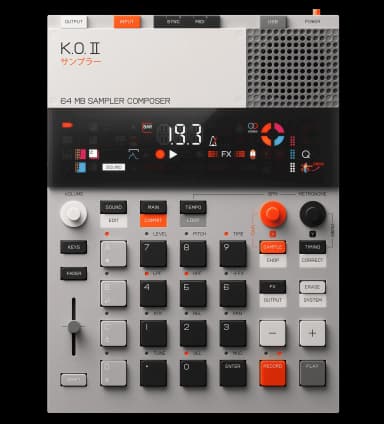
EP-133 KO II error codes
Troubleshooting guide for every EP-133 KO II error code: what each one means and how to fix it.
These errors can be fixed by formatting the flash storage. Warning: This will erase all your samples and patterns, but factory content will remain.
Sample Filesystem Error
FixableFile-system error. The flash storage needs to be formatted. This will erase all your samples and patterns, but factory content will remain.
To fix: Power the device off, then hold [COMMIT] + [SOUND] and turn it on. FMT will display on the screen for about 10 seconds, then it will start up as usual with all user content removed.
LFS Invalid
FixableFile-system error. The internal file system is invalid and needs to be formatted. This will erase all your samples and patterns.
To fix: Power the device off, then hold [COMMIT] + [SOUND] and turn it on. FMT will display on the screen for about 10 seconds, then it will start up as usual with all user content removed.
LFS Corrupt
FixableFile-system error. The internal file system is corrupted and needs to be formatted. This will erase all your samples and patterns.
To fix: Power the device off, then hold [COMMIT] + [SOUND] and turn it on. FMT will display on the screen for about 10 seconds, then it will start up as usual with all user content removed.
Other LFS Error
FixableFile-system error. There's an issue with the internal file system that requires formatting. This will erase all your samples and patterns.
To fix: Power the device off, then hold [COMMIT] + [SOUND] and turn it on. FMT will display on the screen for about 10 seconds, then it will start up as usual with all user content removed.
- Power off your EP-133 KO II completely
- Hold down [COMMIT] + [SOUND]
- While holding, turn on the device
- Wait for "FMT" to appear on screen (~10 seconds)
- Device will restart with a fresh file system
Tip: After formatting, update to the latest OS version to prevent future issues.
These errors indicate a hardware problem that cannot be fixed by the user. Your device will need to be repaired by Teenage Engineering.
SRAM Error
HardwareThis is a hardware error. Your unit needs to be repaired by Teenage Engineering. Contact their support for repair options.
Flash Error
HardwareThis is a hardware error. Your unit needs to be repaired by Teenage Engineering. Contact their support for repair options.
Codec Error
HardwareThis is a hardware error. Your unit needs to be repaired by Teenage Engineering. Contact their support for repair options.
- •Keep firmware updated: Install the latest OS updates to fix bugs that may cause file system errors.
- •Use quality batteries: Low battery during write operations can corrupt the file system.
- •Avoid power interruptions: Don't remove batteries or disconnect power while the device is saving.
- •Back up your work: Regularly export your projects to avoid losing work if you need to format.